 Quote
Published
·
4 min read
Quote
Published
·
4 min read
How to fix a mistake on a deal
Typed the wrong amount, or logged a payment twice? Quote lets you correct a deal after the fact — without erasing what was there before. Every fix lives on the deal's timeline, and the original stays one tap away.
You captured the quote as $26,000, but it was really $28,000. Or the same installment got logged twice and now the balance looks off. Quote treats a deal's history as a record you correct, not a draft you overwrite — so fixing a number takes seconds and never loses the trail. Here's how the editing tools work, all from one place: the deal's timeline.
Open the deal and find its timeline
Open the deal from your pipeline and scroll to Timeline. Every move and everything you captured along the way — visit notes, the quote amount, each payment — is listed here, newest first.
The editing happens right on these rows. Each one carries small controls on its right edge, and which you see depends on the kind of entry: a pencil to edit it, a history icon once it's been edited, and an archive box on payments and follow-ups.
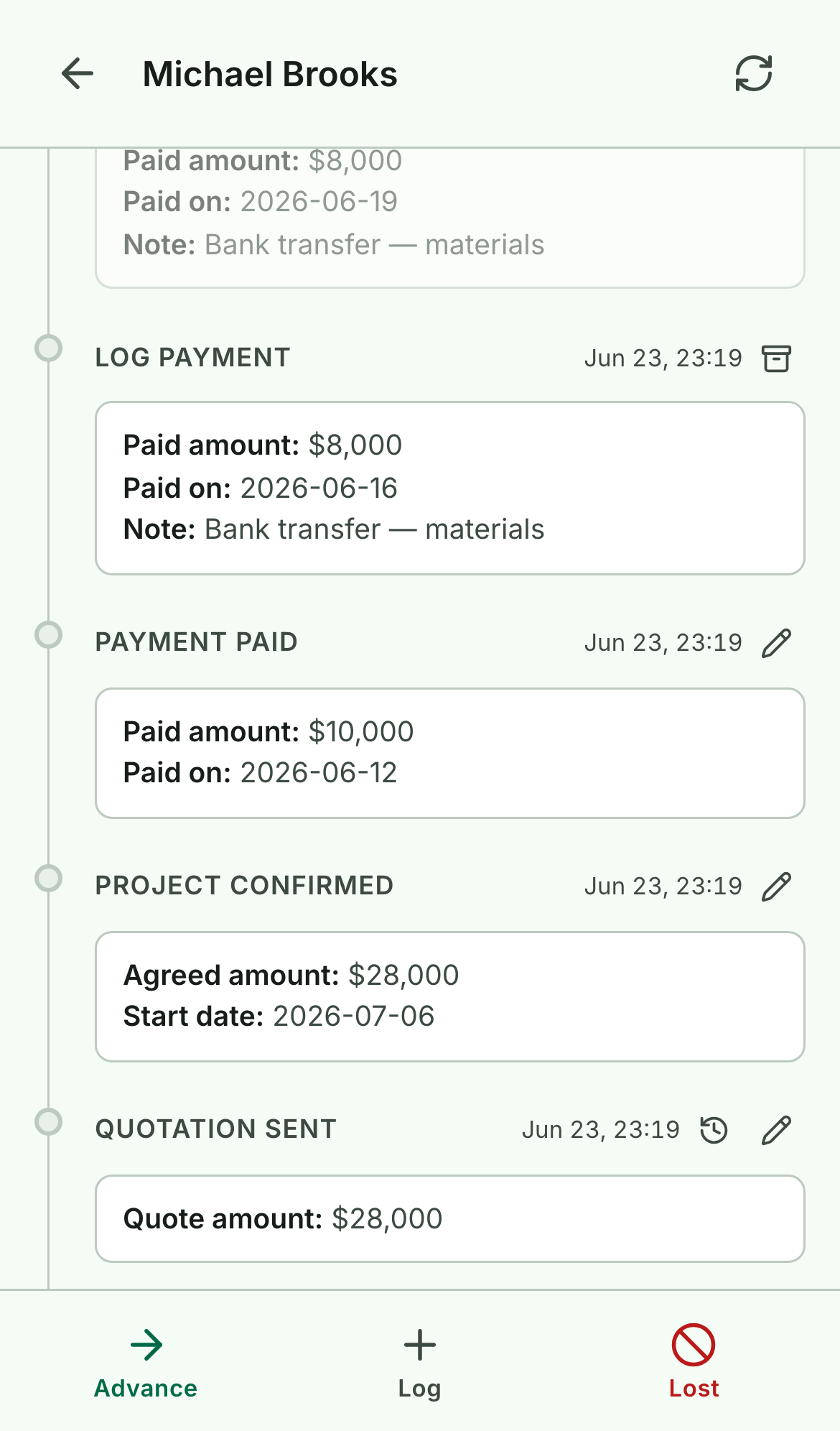
Correct a value with the pencil
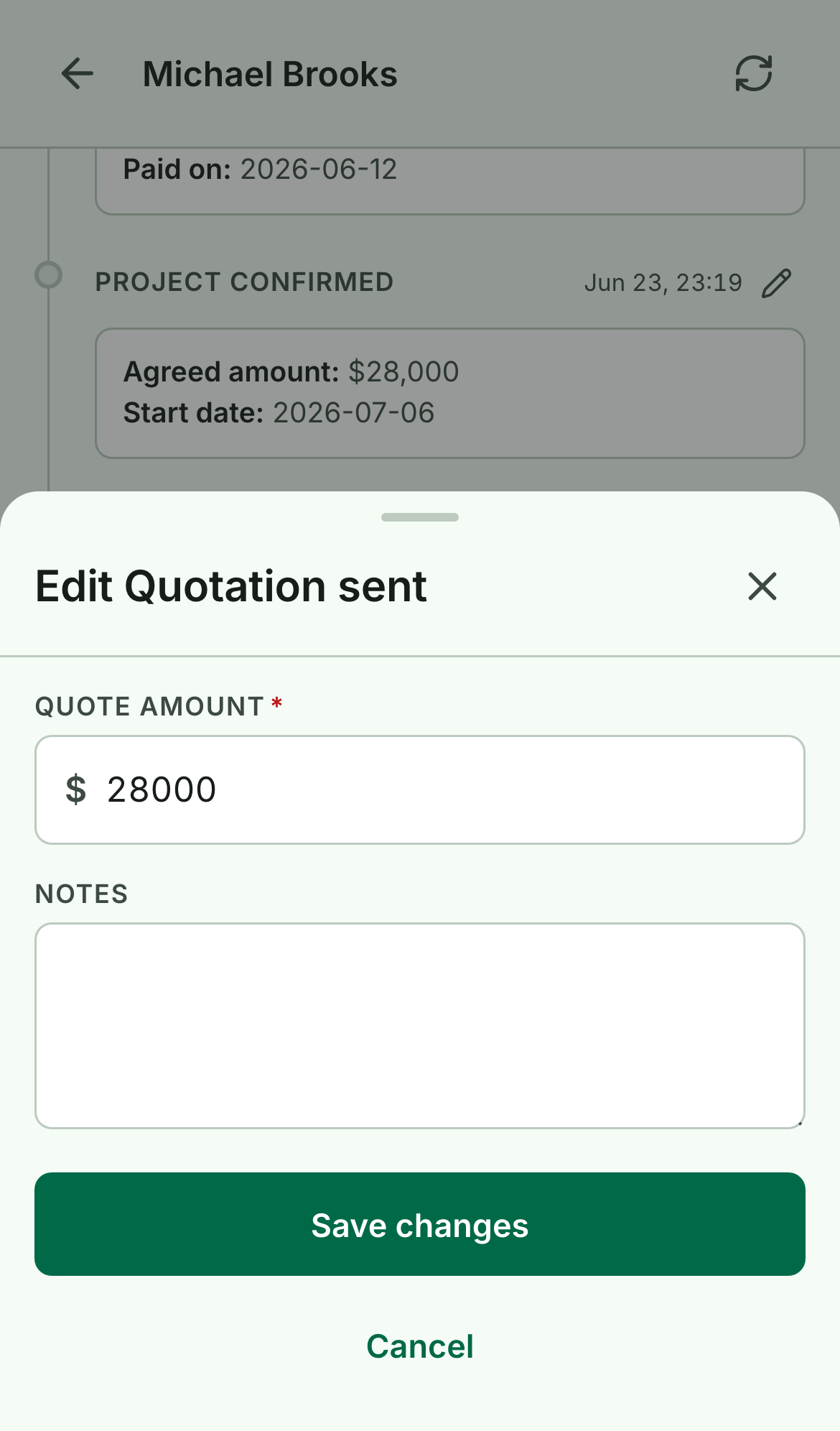
Tap the pencil on any stage entry — New lead, Site visit done, Quotation sent, Project confirmed. It re-opens that step's original form, pre-filled with what you captured. Change what's wrong and tap Save changes.
The fix takes effect everywhere at once: the amount on the pipeline card, the totals on this deal, and the money in your Funnel all update to match. You're correcting one source of truth, not patching three.
Check exactly what changed
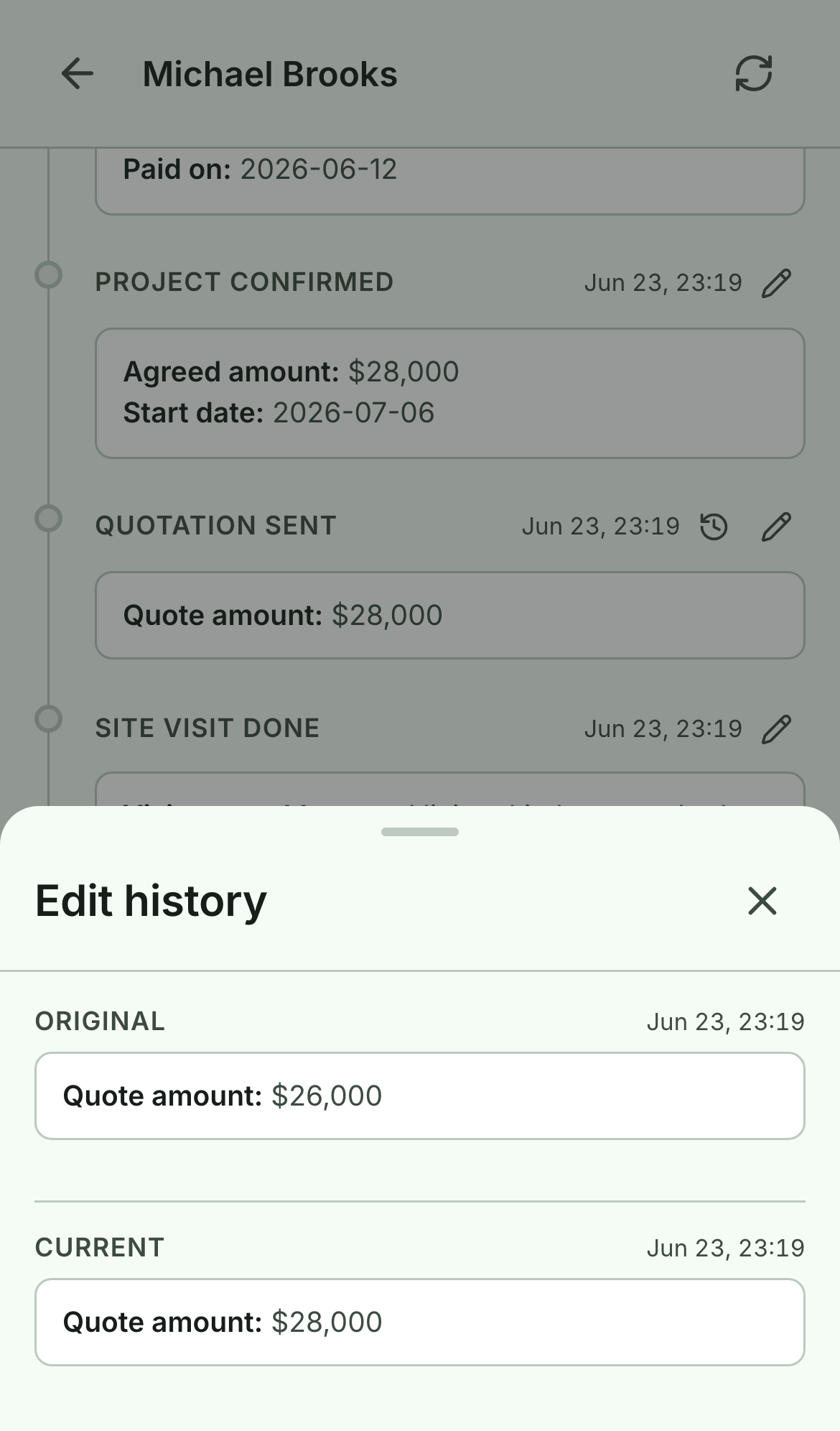
An edit never overwrites the original — it's recorded as a new version on top of it. Once you've corrected an entry, a small history icon appears beside it. Tap it to see the whole trail: Original, any edits in between, and Current, each stamped with when it changed.
So you can fix a figure freely, knowing the number you first entered is always recoverable — handy when a customer queries why an amount moved.
Archive a payment instead of editing it
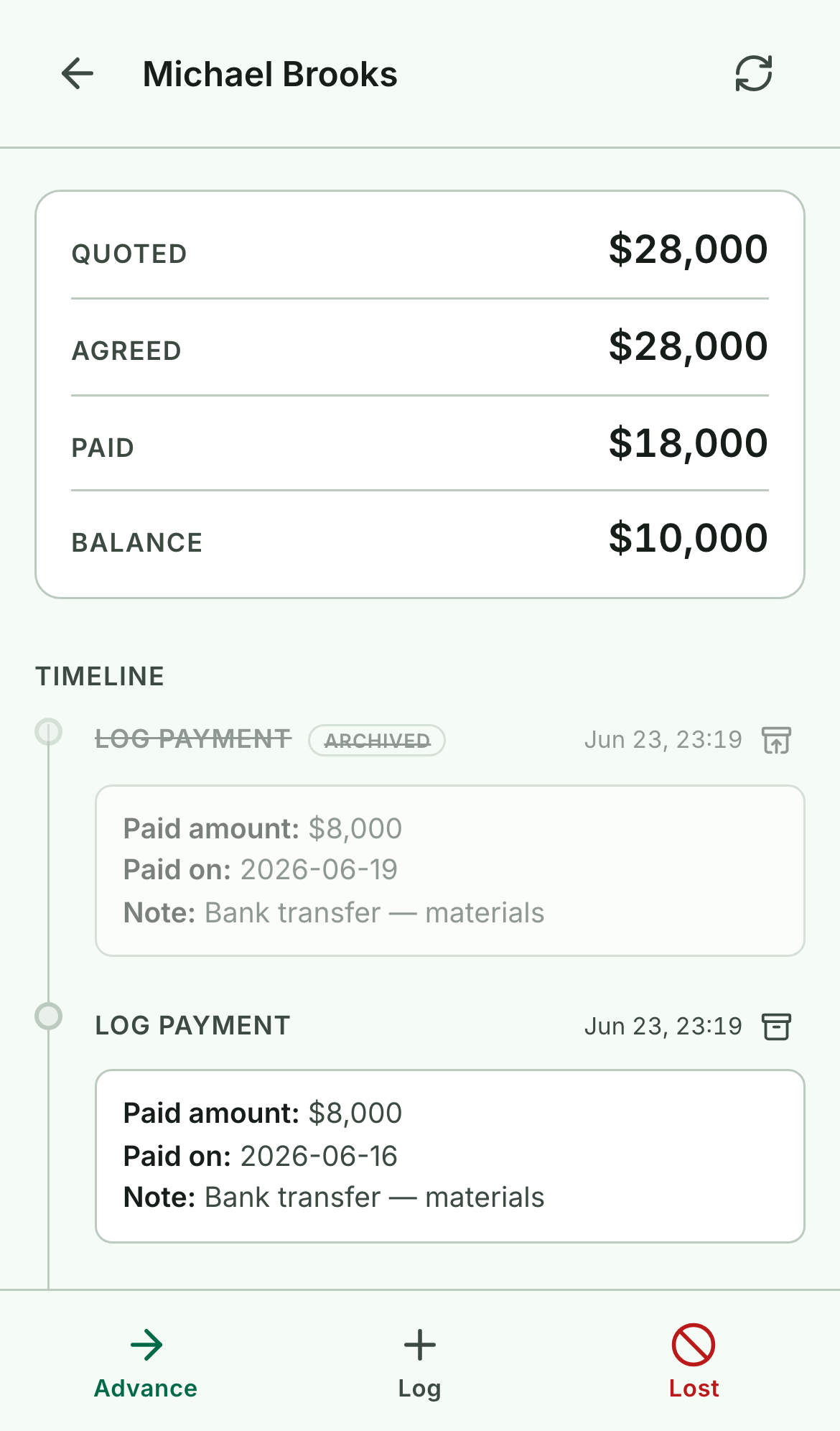
Payments and follow-ups work a little differently. Because payments add up into a running total, Quote doesn't edit them in place — you archive the wrong one instead. Tap the archive box on the entry, confirm, and it's struck through and tagged Archived.
Its amount backs out of the total, so Paid drops and the Balance climbs back to what's really owed. Logged the same installment twice? Archive the duplicate and the math fixes itself — no recalculating by hand.
Nothing is deleted: tap Restore on an archived row to bring it back. And to correct a payment's amount, archive the wrong one and add the right one with Log → Log payment.
That's the whole idea: a deal's history should be easy to correct and impossible to lose. Fix the number, keep the trail.